
Download Ittybrief – Personalized News & Podcast Newsletter
Overview
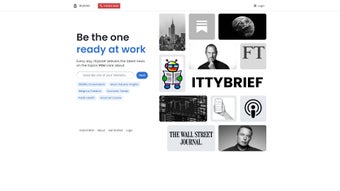
Ittybrief is an AI‑powered web application that transforms the chaotic world of news and podcasts into a clean, daily newsletter tailored to your exact interests. Imagine the crisp, bite‑sized format of Morning Brew, but customized for any niche you choose – from fintech trends to indie music podcasts. By simply entering a topic or a handful of keywords, Ittybrief’s sophisticated algorithms scour trusted sources, filter out noise, and assemble the most relevant articles and episode suggestions into a single, easy‑to‑read email.
The service is built for busy professionals, students, and anyone who wants to stay informed without spending countless hours scrolling through feeds. Its subscription model guarantees an ad‑free experience and continuous updates to the AI engine, ensuring that the content remains fresh, accurate, and aligned with your evolving preferences. Whether you’re on a desktop, laptop, or mobile device, the platform delivers a secure, privacy‑first environment where your reading habits stay private while you enjoy a streamlined flow of information that saves you time and mental bandwidth.
Key Features & Benefits
- AI‑Driven Personalization: Advanced machine‑learning models analyze your input topics and past interaction patterns to curate a daily newsletter that feels hand‑picked for you.
- Dual Content Streams: Each issue blends written news articles with curated podcast episode recommendations, giving you both quick reads and listening options.
- Topic Flexibility: Choose from a broad catalog of categories or define custom interests; you can add, remove, or adjust topics at any time.
- Morning Brew‑Style Layout: Clean, concise design with bold headings, short summaries, and direct links, making the newsletter skimmable on any device.
- Secure Subscription Model: Paid plans are ad‑free, ensure data encryption, and support continuous AI improvements without compromising privacy.
- Cross‑Platform Access: Receive the newsletter via email, view it in a web portal, or sync it with popular RSS readers for offline consumption.
- Automatic Updates: The AI engine is refreshed daily with the latest sources, so your content stays current without manual intervention.
- Time‑Saving Automation: No more endless searching; the service does the heavy lifting, letting you focus on reading or listening to the most relevant material.
These features translate into tangible benefits: you cut down on information overload, gain confidence that you’re not missing critical developments in your field, and enjoy a balanced mix of reading and listening. The personalized approach also means less exposure to clickbait and sensationalist headlines, fostering a more thoughtful consumption habit. For professionals juggling meetings, deadlines, and personal growth, Ittybrief becomes a trusted daily briefing that fits seamlessly into any schedule.
Installation, Usage & Compatibility
Getting Started – No Download Required
Ittybrief operates as a cloud‑based web application, so there is no traditional software download or installation process. To begin, visit the official website, click the “Start Free Trial” button, and create an account using your email address or a social login. After confirming your email, you’ll be guided through a quick onboarding wizard where you can specify up to five primary interests. The wizard also asks about preferred content formats (article vs. podcast) and optimal delivery time for your daily newsletter.
How to Use the Dashboard
Once logged in, the dashboard displays a simple control panel. From here you can:
- Modify or add new topics at any moment.
- Adjust the frequency of newsletters (daily, weekdays only, or custom schedule).
- Preview the upcoming issue before it’s sent.
- Access a library of past newsletters for reference.
Compatibility
Because Ittybrief is web‑based, it works across all major operating systems—Windows 10/11, macOS Monterey and later, Linux distributions, as well as mobile platforms such as Android 8+ and iOS 13+. All modern browsers (Chrome, Firefox, Safari, Edge) are fully supported, guaranteeing a smooth experience whether you’re on a desktop, laptop, tablet, or smartphone.
For users who like to integrate newsletters into their workflow, Ittybrief offers an optional Zapier integration, allowing you to push content to tools like Slack, Notion, or Trello. This flexibility ensures that the service fits naturally into both personal and professional ecosystems without requiring any additional software installations.
Pros, Cons, FAQ & Conclusion
Pros & Cons
- Pros:
- Highly personalized content saves time.
- Combines written articles and podcasts in one newsletter.
- Ad‑free, secure subscription model.
- Cross‑platform accessibility; no installation needed.
- Easy topic management via intuitive dashboard.
- Cons:
- Limited to the topics you specify; less useful for broad, general news seekers.
- Subscription cost may be a barrier for casual readers.
- No native mobile app (currently web‑only).
- Content depth varies by source availability.
Overall, Ittybrief delivers a compelling solution for anyone looking to streamline their daily information intake. The AI does a solid job of filtering noise, and the mixed media format keeps the experience fresh. While the subscription fee may deter occasional users, the time saved and the quality of curated content make it a worthwhile investment for professionals and avid learners.
Frequently Asked Questions
How often will I receive the Ittybrief newsletter?
You can choose a daily delivery, weekdays only, or set a custom schedule during onboarding. The default is one email each morning.
Can I edit my topics after I’ve subscribed?
Yes. The dashboard lets you add, remove, or modify topics at any time. Changes take effect from the next newsletter cycle.
Is my personal data safe with Ittybrief?
Ittybrief employs SSL encryption for all data transfers and stores user information on secure servers. The subscription model is ad‑free, meaning your browsing and reading habits are not sold to third parties.
Do I need a specific email client to view the newsletter?
No special client is required. The newsletter is built with responsive HTML, so it renders correctly in Gmail, Outlook, Apple Mail, and most webmail services. A “View in Browser” link is also provided.
Can I integrate Ittybrief with other productivity tools?
Yes. Ittybrief supports Zapier integrations, allowing you to push curated content to Slack, Notion, Trello, and many other apps, making it easy to embed the newsletter into your existing workflow.
Conclusion & Call to Action
In a world flooded with information, Ittybrief stands out as a focused, AI‑driven companion that delivers exactly what you need—no more, no less. Its blend of articles and podcasts, coupled with a clean newsletter format, makes daily learning both efficient and enjoyable. If you’re a busy professional, student, or lifelong learner seeking to reclaim precious time while staying on top of your niche interests, Ittybrief is worth trying. Start your free trial today, set your topics, and experience a smarter way to stay informed.
Click here to download your personalized Ittybrief newsletter now and join the community of readers who have already streamlined their daily news consumption.






